
Cleanup The Crap That Windows Live Writer Injects With This HttpModule
First, let me start off with some praise. I really really like Windows Live Writer. I’ve praised it many times on my blog. However, there is one thing that really annoys me about WLW, it’s utter disregard for web standards and the fact that injects crap I don’t want or need into my content.
Of particular annoyance is the way that WLW adds attributes that are not XHTML compliant. For example, when you use the Insert Tags feature, it creates a div that looks something like:
<div class="wlWriterEditableSmartContent"
  id="guid1:guid2"
  contenteditable="false"
  style="padding-right: 0px; display: inline; padding-left: 0px;
  padding-bottom: 0px; margin: 0px; padding-top: 0px">
What’s the problem? Let me explain.
- First of all, the ID is a GUID that starts with a number. Unfortunately XHTML doesn’t allow the id of an element to start with a number.
- The contenteditable attribute is not recognized in XHTML.
- The style tag is superfluous and unnecessary. At the very least, it should have been reduced to style=”padding:0; display: inline;”
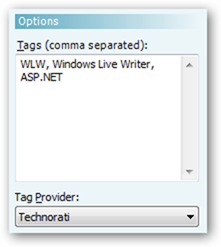
The purpose of the special class and the contenteditable attribute is to inform WLW that the html tag is editable. In the Web Layout view (F11), you can see a hashed box around the tags like so.

Clicking on the box changes the right menu to let you enter tags.
Because I actually care about web standards and being XHTML compliant and I’m totally anal, I’ve always gone in and manually changed the HTML after the fact.
Today, out of pure laziness and getting fed up with this extra work I have to do, I decided to write an HttpModule to do this repetitive task for me via a Request Filter. A Request Filter modifies the incoming request.
But to make things interesting, I made sure that the HttpModule makes the changes in an intelligent manner so that no information is lost. Rather than simply removing the cruft, I moved the cruft into the class attribute. Thus the HTML I showed above would be transformed into this:
<div class="wlWriterEditableSmartContent id-guid1:guid2
  contenteditable-false">
Notice that I simply removed the style tag because I don’t need it.
I also created a Response Filter to modify the outgoing response when the client is Windows Live Writer. That allows the module to convert the above html back into the format that WLW expects. In that manner, I don’t break any WLW functionality.
Other Cool Cleanups
Since I was already writing this module, I decided to make it clean up a few other annoyances.
- Replaces a single between two words with a space. So this is cool gets converted to this is cool.
- Replaces <p> </p> with an empty string.
- Replaces an apostophre within a word with a typoghraphical single quote. So you can’t say that becomes you can’t say that.
- Replaces atomicselection=”true”with an empty string. I don’t re-insert this attribute back into the content yet, as I’m not sure if it is even necessary.
Try it out!
This module should work with any ASP.NET blog engine that uses the MetaWeblog API. It only responds to requests made by Windows Live Writer, so it shouldn’t interfere with anything else you may use to post to your blog.
To use it is as easy as dropping the assembly in the bin directory and modifying your web.config to add the following to the httpModules section:
<httpModules>
  <add type="HtmlScrubber.WLWCleanupModule, HtmlScrubber"
    name="HtmlScrubber" />
</httpModules>
I’m also including the source code and unit tests, so feel free to give it a try. Please understand that this is something I hacked together in a day, so it may be a bit rough around the edges and I give no warranty. Having saidthat, I’m pretty confident it won’t screw up your HTML.
I have plans to add other features and cleanups in the future. For example, it wouldn’t be hard to add a configuration section that allows one to specify other regular expressions and replacement patterns to apply.
If you have any “cleanups” I should include, please let me know. If you’re reading this post, then you know the module worked.
[Download Binaries] [Download Source]
I thought about adding this to CodePlex, but I’m hoping that the next version of Windows Live Writer makes this module irrelevant. I’m not holding my breath on that one though.
Comments
17 responses