
Problem: Can't Access Anything on LocalHost?
Just the other day, I tried viewing a web application I’m developing on my local machine. After navigating to http://localhost/MyWebApp/ I got a blank browser screen. Nada. Zippo. Nothing. Not even the benefit of an error message.
Fortunately, the nice people at SysInternals have graced the development world with their suite of fantastic utilities including TCPView.
I ran TCPView and noticed that Skype.exe was listening on port 80. I shut that down, restarted IIS and sure enough, my local sites were back to their springy selves.
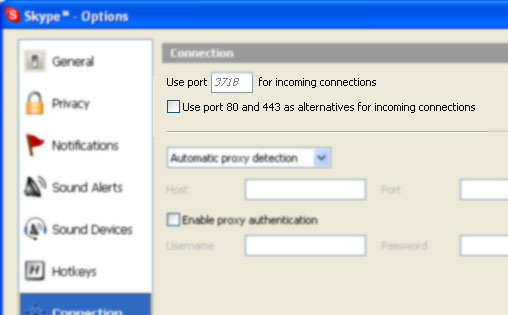
Turns out that the latest version of Skype attempts to listen in on port 80 and 443 by default, in case your firewall blocks all other ports. That’s an interesting feature, and one I’ll probably thank them for some day, but I wish they would have indicated that they were going to attempt this.
To fix this issue, I went to the Tools | Options menu in Skype and selected the Connection and unchecked the box next to “Use port 80 and 443 as alternatives for incoming connections.”
Comments
3 responses